⌂
1 / 7
02 · PERSONAL AI PRODUCTIVITY LAB
GUIDED PRACTICE

Start Experimenting
with Agents.

Copilot Chat
Copilot ChatReconstructs permitted work context.briefing
Researcher
ResearcherCombines company context and web research.research
Analyst
AnalystAnalyses files and data to support a decision.analysis
Abacus.AI
Abacus AI AgentBuilds complex apps, documents and prototypes.building

Copilot balances control, safety and autonomy.

START WITH YOUR EXPERIENCE

How do you work today with
knowledge and agents?

01
KNOWLEDGE

How have you captured knowledge
or transcribed calls so far?

02
AI AGENTS

How have you used AI agents
so far?

SHARE ONE CONCRETE EXAMPLE.
SAME GOAL · DIFFERENT TRADE-OFFS

Microsoft Copilot Agent vs Abacus AI Agent

MICROSOFT COPILOT AGENT

Personal assistant inside Microsoft 365 apps.

DATA
✓

Protected by Microsoft 365Company permissions and policies apply

CONNECTED WORK
✓

Outlook, Teams, SharePoint and OneDriveRetrieves content you can access

INSTRUCTIONS
×

One instruction set per agentChanges only when you edit the agent

OUTPUTS
✓

Microsoft 365 contentEmails, summaries, documents and presentations

COST
✓

More predictable subscription costSome experiences may remain usage-based

ABACUS AI AGENT

External coding agent for apps, websites and complex work.

DATA
!

External models may process the dataPlease anonymise sensitive data

CONNECTED WORK
!

Can connect to external toolsTechnical setup and internal approval required

INSTRUCTIONS
✓

Create reusable skillsTell the agent what to save, then refine it through conversation

OUTPUTS
✓

Apps, websites and complex workDocuments, code, dashboards and deployable applications

COST
!

Usage-based credit consumptionAgent work costs more than chat
A GOOD PROMPT SHOULD BE REUSABLE

Save your best prompts.
Use them again.

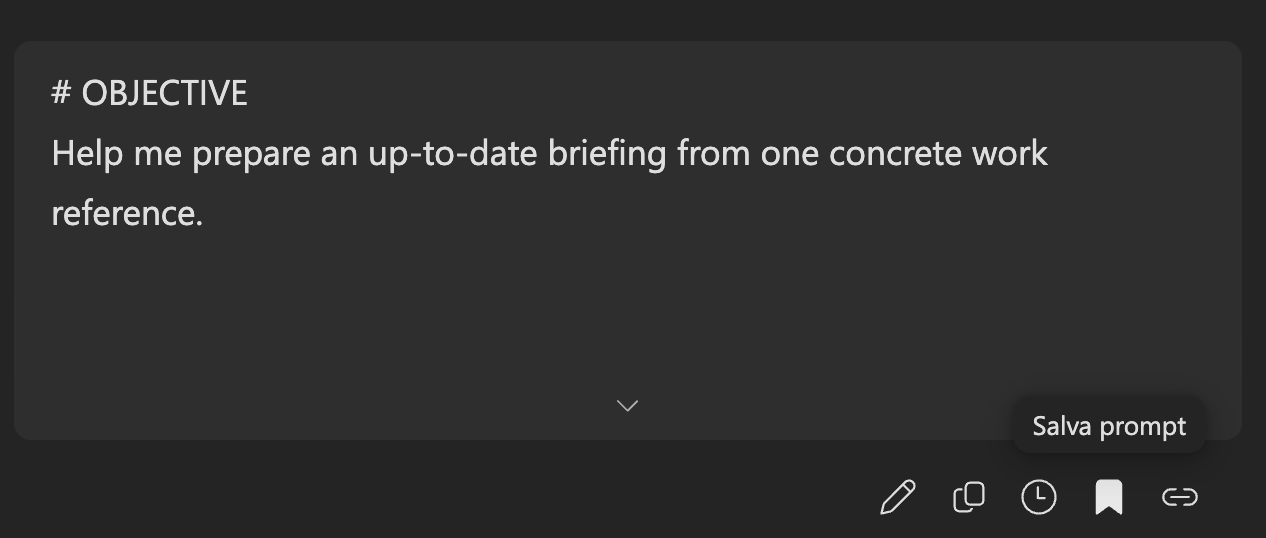
Save prompt icon in Microsoft Copilot
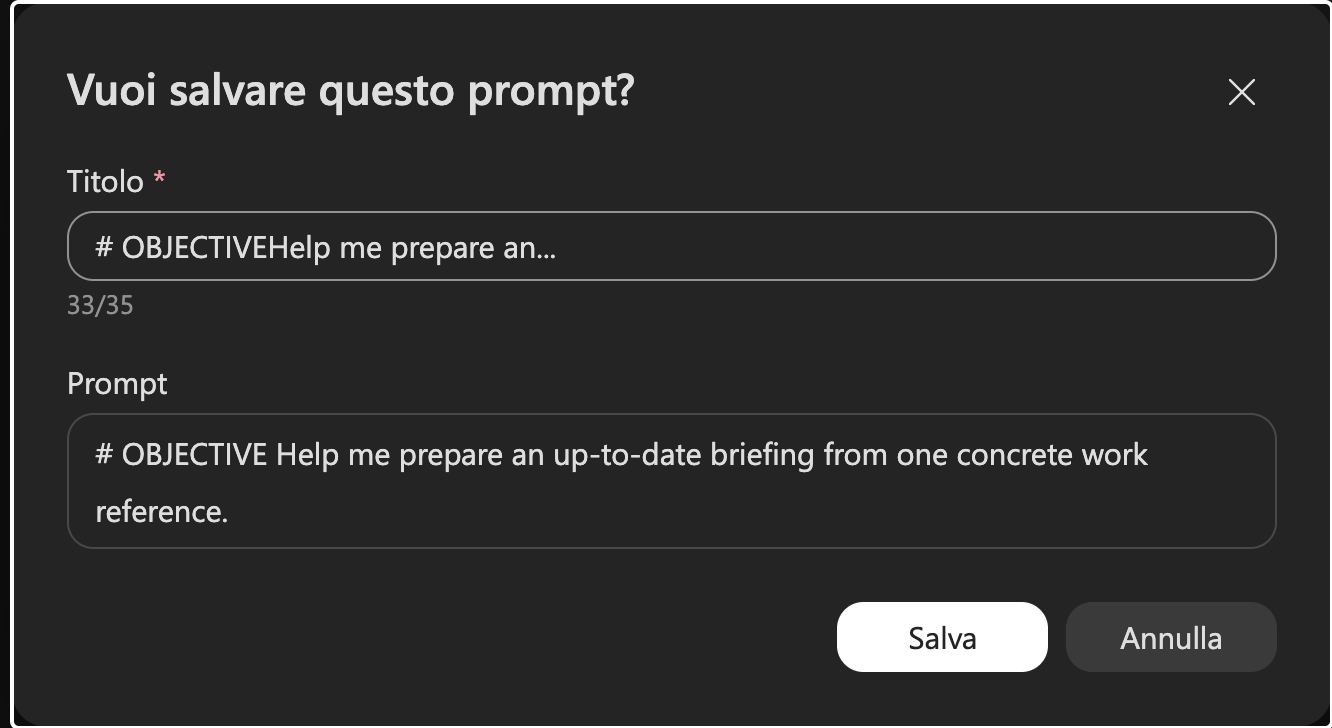
Dialog to save and name a prompt in Microsoft Copilot
01
RUN ITUse the prompt once.
02
SAVE ITSelect the bookmark and name it.
03
REUSE ITOpen it from Your saved prompts.

Use [square brackets] for variables inside the prompt

EXAMPLE 1 · COPILOT CHAT

From scattered information
to a precise briefing.

Call context
TeamsPrevious meetings with the personOutlookRelated email threadsSharePointProject documentsmonday.comConnect monday.com · company approval required
→
Copilot Chat
Copilot Chat

Reconstructs permitted context.

→
Pre-call briefing
Relationship historyDecisions and promisesOpen pointsQuestions and priorities
CREATE AN UPDATED PRE-CALL BRIEFING

“Before searching, ask which email, project or file I want to start from. Then reconstruct the permitted context and create an updated briefing.”

EMAILPrompt sent by email during the session.
EXAMPLE 2 · RESEARCHER

Combine company context
with deeper web research.

Two research layers
WORK CONTEXT
FilesEmailMeetingsChats
EXTERNAL SOURCES
MarketCompetitorsRegulationRecent web
→
Researcher
Researcher

Researcher connects company context with deep web research.

→
Sourced strategic dossier
What we know internallyCurrent external evidenceDisagreements and gapsImplications for the decision
COMBINE COMPANY CONTEXT WITH WEB RESEARCH

“Tell me what you want to investigate, which documents or company sources to use, and what to research online. Then connect all the evidence.”

EMAILPrompt sent by email during the session.
EXAMPLE 3 · ANALYST

From a set of files
to a clear report.

Selected files
XLSXSalesCSVOperationsPDFReportPPTScenario
→
Analyst
Analyst

Analyst turns files, numbers and business exports into decision support.

→
Management report
Consolidated metricsTrends and anomaliesTables and chartsConclusions and limits
ANALYSE MULTIPLE FILES FOR A DECISION

“Attach the files and tell Analyst what you want to understand or decide. If you are unsure, it will suggest the most useful analyses.”

EMAILPrompt sent by email during the session.